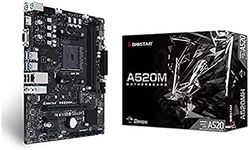
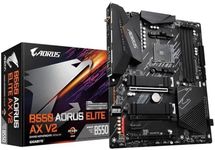
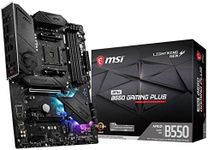
Buying Guide for the Best AM4 Motherboards
Choosing the right AM4 motherboard is crucial for building a reliable and efficient computer system. The motherboard serves as the backbone of your PC, connecting all the components and allowing them to communicate with each other. When selecting an AM4 motherboard, it's important to consider several key specifications to ensure compatibility and performance that meets your needs. Here are the key specs to focus on and how to navigate them.ChipsetThe chipset is a crucial part of the motherboard that determines its capabilities and compatibility with other components. It affects the number of USB ports, PCIe lanes, and other features. Common AM4 chipsets include A320, B450, B550, X470, and X570. A320 is entry-level, suitable for basic tasks. B450 and B550 are mid-range, offering a good balance of features and performance for most users. X470 and X570 are high-end, providing advanced features and better overclocking support. Choose a chipset based on your performance needs and the features you require.
Form FactorThe form factor of a motherboard determines its size and the type of case it will fit into. Common form factors include ATX, Micro-ATX, and Mini-ITX. ATX is the largest and offers the most expansion slots and features, suitable for gaming and high-performance builds. Micro-ATX is smaller, with fewer expansion slots, but still offers good performance for most users. Mini-ITX is the smallest, ideal for compact builds but with limited expansion options. Choose a form factor based on the size of your case and the number of expansion slots you need.
RAM SupportRAM support refers to the type and amount of memory the motherboard can handle. AM4 motherboards typically support DDR4 RAM, with varying maximum capacities and speeds. Entry-level boards may support up to 64GB, while high-end boards can support up to 128GB or more. The speed of the RAM (measured in MHz) can also impact performance. For general use, 16GB of RAM at 3200MHz is sufficient. For gaming or heavy multitasking, 32GB or more at higher speeds may be beneficial. Choose based on your usage and future upgrade plans.
Expansion SlotsExpansion slots allow you to add additional components like graphics cards, sound cards, and network cards. The most common type is the PCIe slot, with different versions (x1, x4, x8, x16) indicating the number of lanes and bandwidth. High-end motherboards offer more slots and better support for multiple graphics cards (SLI or CrossFire). If you plan to use multiple GPUs or other expansion cards, ensure the motherboard has enough slots and the right type. For basic builds, one or two PCIe x16 slots are usually sufficient.
Storage OptionsStorage options on a motherboard include the types and number of connections for hard drives and SSDs. Common connections are SATA and M.2. SATA ports are used for traditional hard drives and SSDs, while M.2 slots support faster NVMe SSDs. Entry-level boards may have fewer SATA ports and M.2 slots, while high-end boards offer more options for multiple drives. If you need a lot of storage or plan to use fast NVMe SSDs, ensure the motherboard has enough ports and slots. For basic use, a few SATA ports and one M.2 slot are usually enough.
ConnectivityConnectivity options include USB ports, Ethernet, Wi-Fi, and Bluetooth. The number and type of USB ports (USB 2.0, 3.0, 3.1, Type-C) can affect how many peripherals you can connect. Ethernet ports provide wired internet connections, with some boards offering faster 2.5Gb or 10Gb options. Wi-Fi and Bluetooth are useful for wireless connectivity, with newer boards supporting Wi-Fi 6 and Bluetooth 5.0. Choose based on your connectivity needs, ensuring the motherboard has enough ports and the right types for your devices.
BIOS/UEFIThe BIOS/UEFI is the firmware that initializes hardware during the boot process and provides an interface for configuring system settings. A user-friendly BIOS/UEFI can make it easier to tweak settings and overclock components. Look for motherboards with a well-reviewed BIOS/UEFI that offers features like easy overclocking, fan control, and hardware monitoring. If you're a beginner, a simple and intuitive interface is beneficial. For advanced users, more detailed options and features may be important.