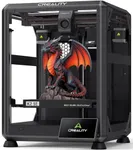
Buying Guide for the Best 3 D Printers For Home
Choosing a 3D printer for home use can be an exciting yet daunting task. With the right knowledge, you can find a printer that fits your needs and helps you bring your creative ideas to life. When selecting a 3D printer, consider the following key specifications to ensure you make an informed decision that aligns with your requirements and expectations.Print TechnologyPrint technology refers to the method a 3D printer uses to create objects. The most common types for home use are Fused Deposition Modeling (FDM) and Stereolithography (SLA). FDM printers are generally more affordable and easier to use, making them ideal for beginners and hobbyists. SLA printers offer higher resolution and smoother finishes, which are great for detailed models but can be more complex to operate. Choose FDM if you are looking for a cost-effective and user-friendly option, and SLA if you need high precision and are comfortable with a steeper learning curve.
Build VolumeBuild volume is the maximum size of an object that a 3D printer can produce. It is measured in three dimensions: width, depth, and height. A larger build volume allows you to print bigger objects or multiple smaller objects simultaneously. For home use, consider what you plan to print. If you are making small models or prototypes, a smaller build volume will suffice. However, if you intend to create larger items or need more flexibility, opt for a printer with a larger build volume.
Layer ResolutionLayer resolution, also known as layer height, determines the thickness of each layer of material that the printer deposits. It is measured in microns (µm). Lower layer heights (e.g., 50-100 µm) result in finer details and smoother surfaces, while higher layer heights (e.g., 200-300 µm) print faster but with less detail. If you need high-quality, detailed prints, choose a printer with a lower layer resolution. For quicker prints and less intricate projects, a higher layer resolution will be sufficient.
Print SpeedPrint speed indicates how quickly a 3D printer can produce an object. It is usually measured in millimeters per second (mm/s). Faster print speeds can save time, but they may compromise print quality. Slower speeds generally yield better results. Consider your patience and the complexity of your projects. If you need rapid prototyping and are willing to sacrifice some detail, a faster printer is suitable. For high-quality prints where time is not a critical factor, a slower printer is preferable.
Filament CompatibilityFilament compatibility refers to the types of materials a 3D printer can use. Common filaments include PLA, ABS, PETG, and TPU, each with different properties. PLA is easy to use and environmentally friendly, making it great for beginners. ABS is more durable and heat-resistant but requires better ventilation. PETG offers a balance of strength and flexibility, while TPU is flexible and ideal for rubber-like objects. Choose a printer that supports the filament types that best match your project needs and experience level.
Ease of UseEase of use encompasses the user-friendliness of the 3D printer, including setup, operation, and maintenance. Features like a touchscreen interface, automatic bed leveling, and easy filament loading can make the printing process smoother. If you are new to 3D printing, look for a printer with these convenient features to reduce the learning curve. Experienced users might prioritize advanced settings and customization options over ease of use.
ConnectivityConnectivity options determine how you can send print jobs to your 3D printer. Common methods include USB, SD card, Wi-Fi, and Ethernet. Wi-Fi and Ethernet allow for wireless printing and remote monitoring, which can be very convenient. USB and SD card connections are more straightforward and reliable. Consider your workflow and preference for convenience. If you value the ability to control your printer remotely, opt for one with Wi-Fi or Ethernet capabilities. For a simpler setup, USB or SD card connectivity will suffice.
Community and SupportCommunity and support refer to the availability of resources, forums, and customer service for your 3D printer. A strong user community can provide valuable tips, troubleshooting advice, and shared designs. Good customer support from the manufacturer can help resolve issues quickly. Research the brand's reputation and the presence of an active user community. If you are new to 3D printing, having access to a supportive community and reliable customer service can be incredibly helpful.